For shop owners

Get paid by direct deposit

Your monthly settlement goes straight into your bank account. It takes just a few minutes, you only ever do it once, and one setup covers every store you sell in.

Takes a few minutesFree for youSet up once
When to have it done
The end of October settlement is direct deposit only. Please be done by Thursday, October 29.
The two small deposits can take up to two business days to land, so starting now gives them plenty of time to arrive.

Why direct deposit

Faster than a check

No waiting on the mail and no trips to the bank. Your settlement goes straight into your account.

Nothing lost in the mail

Checks were taking too long to arrive, and too many had to be reissued. Direct deposit fixes all of that.

One setup, every store

Sell at more than one of our stores? You only do this once and it works at every location.

Free for you

The Collective Boutiques covers the cost of connecting your account and the cost of every regular deposit we send you.

Before you start

Your account number and routing number
Have both in front of you before you start.
The name on your bank account
You will type it exactly as your bank has it.
A few minutes now, and a minute later
Filling the form in takes a few minutes. The two small deposits usually land the same day if you start in the morning, and can take up to two business days. Then you come back to finish.

Set it up in five steps

  1. Open your Profile

    Sign in to SyncroStore with the Open my SyncroStore button, click the person icon in the top right, and choose Profile. There is nothing for this in the left menu.
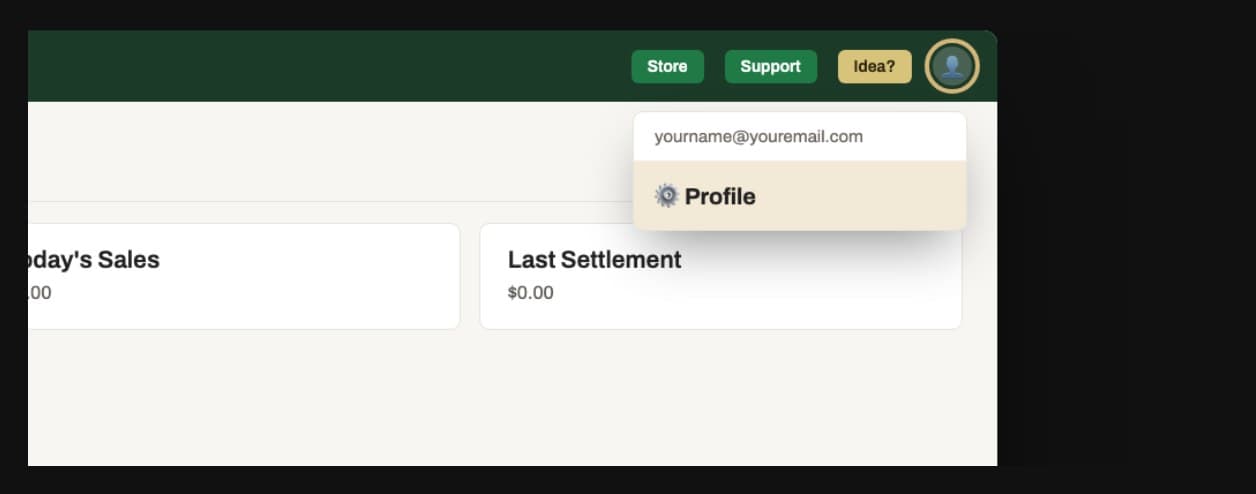
    SyncroStore with the person menu open and Profile highlighted
  2. Add your bank account

    Scroll down to ACH Direct Deposit and click Link a New Bank Account. Pick Add a bank account manually, click Continue, fill the form in, then click Save & continue. Enter the account holder name exactly as it appears on your bank account.
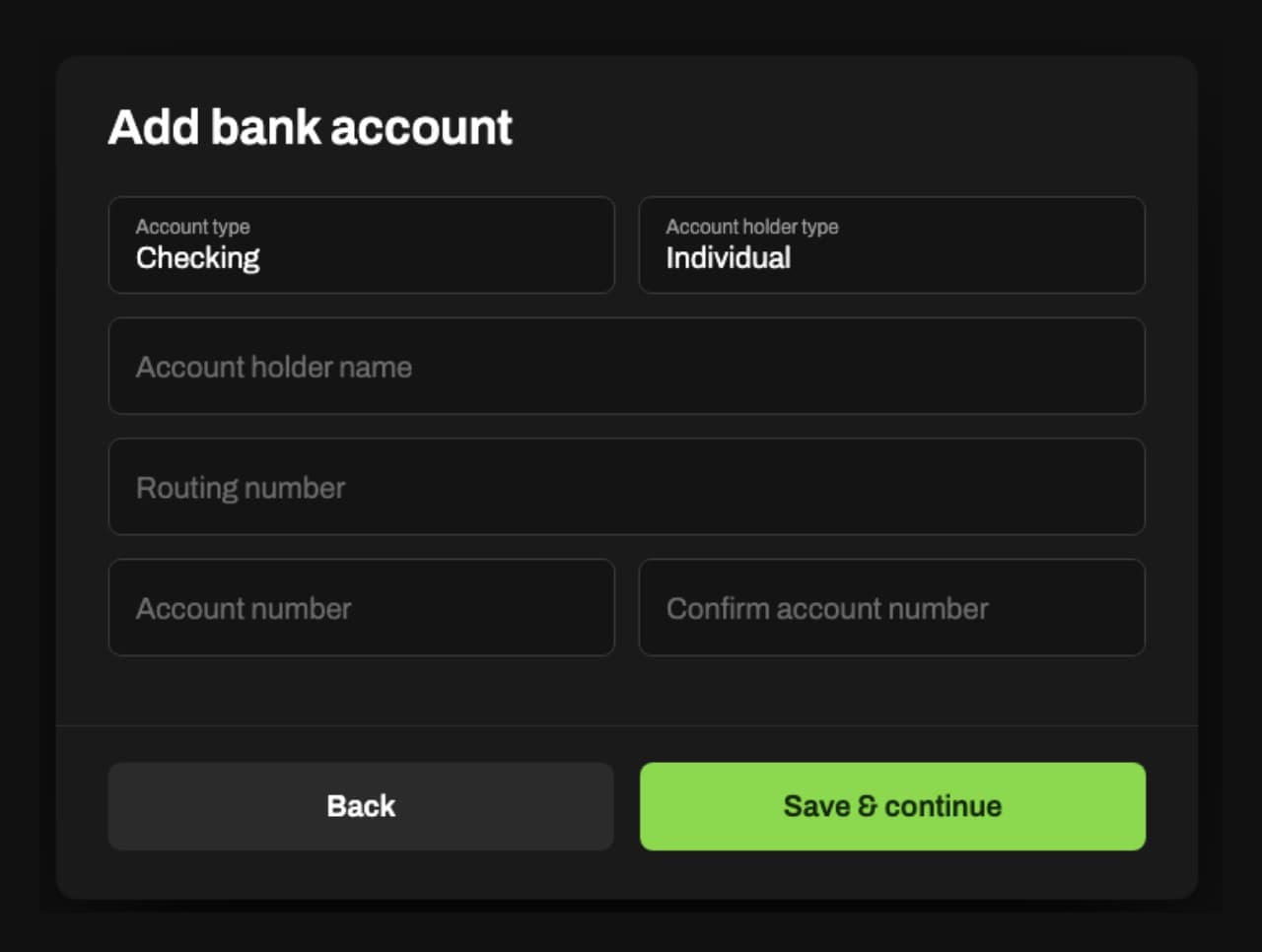
    The Add bank account form
  3. Watch for two small deposits

    They come from MP SOFTWARE LLC, and in your bank they may read something like Mp Software Llc Acctverify. There will be two of them, both under a dollar, and they may show as pending, which is fine. They usually land the same day if you start in the morning, and it can take up to two business days. You will also see one small withdrawal equal to the two added together. That just returns the test money.
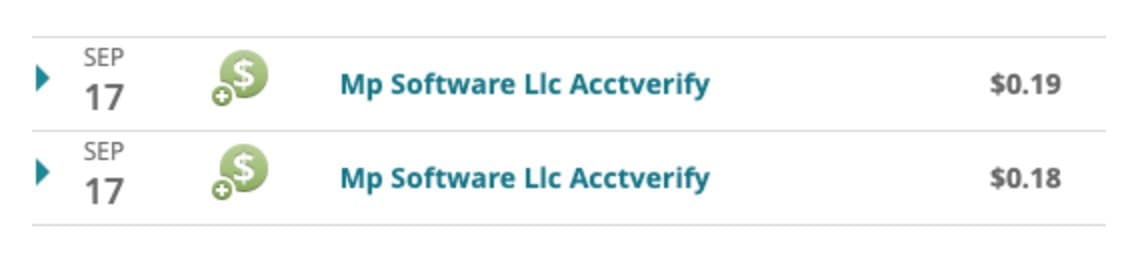
    Two deposits in a real bank account from Mp Software Llc Acctverify, 19 cents and 18 cents
  4. Enter the two amounts

    Go back to Profile and scroll to ACH Direct Deposit. The verification panel is sitting right there, no extra clicks. Type both deposit amounts in and click Verify. You get three tries. Miss three times and you enter your bank details again from the start, so read the amounts off your bank before you type.
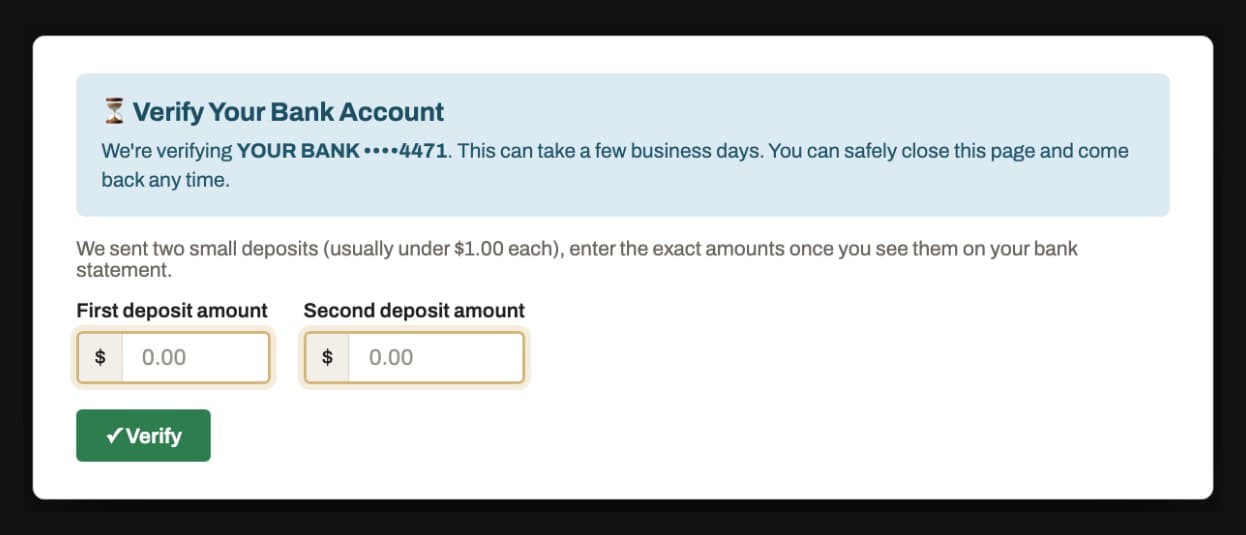
    The verify panel asking for the first and second deposit amounts
  5. Save your payout account

    After you enter the two amounts, your account shows under Payout Account. Click Save and you are good to go. This last click is easy to miss, and without it there is nowhere for your money to go.
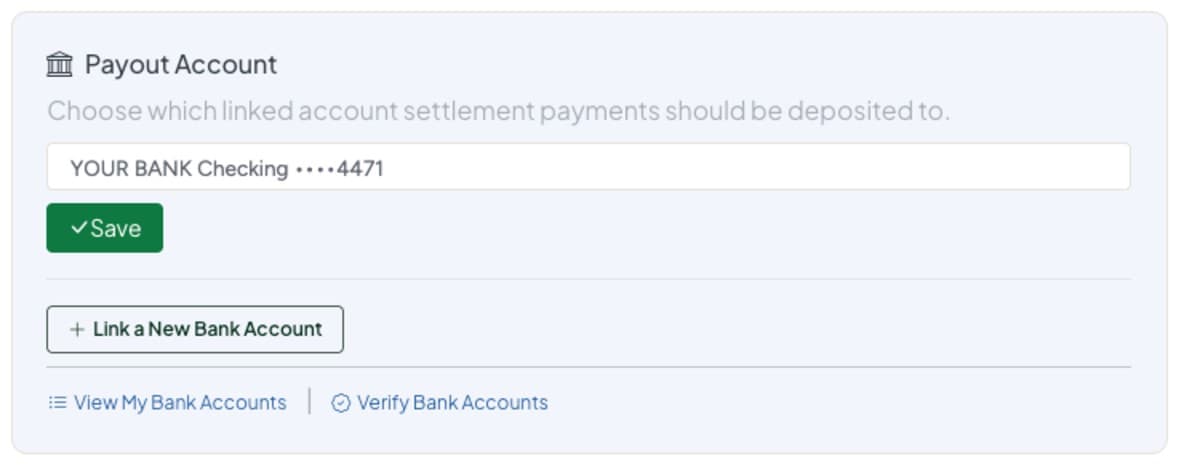
    The Payout Account box with a bank account chosen and a Save button
That is it, you are set up.

Already started? Pick up at the step where you left off.

When your money lands

Within a few business days of settlement

Once settlement is done each month, your deposit is sent to the account you saved. It usually lands within three business days, and weekends and bank holidays add time, so give it until the end of that week before you worry. On your bank statement it shows as MP SOFTWARE LLC, not as The Collective Boutiques.

If something looks off

The two small deposits never showed up
Give it two full business days first, and look at pending transactions, not just the ones that have cleared. After that, open a Support ticket with the Support button at the top of your SyncroStore, and it gets looked at individually.
My bank account will not link
SyncroStore support looks after bank connections, so they are the quickest help. Open a Support ticket with the Support button at the top of your SyncroStore with your name and the store you sell at.
I got the amounts wrong three times
You enter your bank details again from the start, then watch for two new deposits. Nothing is broken and nothing is lost.
Who is MP SOFTWARE LLC?
The company behind SyncroStore, the system you already use for your sales and settlements. They send the deposits, which is why their name is on your statement and not ours.
Do I have to do this every month?
No. Once you are connected, every settlement lands in your account on its own.
I sell at more than one store
You only do this once. Sign in to any of your SyncroStore accounts and it works at every location.
Can I use a savings account?
Yes. The form asks whether the account is Checking or Savings, so pick whichever this one is.
My account is in my business name
Set Account holder type to Business, and enter the business name exactly as it appears on the account. Individual is for an account in your own name.
Can I change my bank account later?
Yes. The new account is verified with two small deposits again, the same way as the first.
Where do I see what I was paid?
In SyncroStore, open your Dashboard, then Current Balance, then View Account Activity.
Is direct deposit required?
Yes. Starting with the end of October settlement, direct deposit is the only way settlements are paid. We no longer issue checks.
Still stuck? Email info@thecollectiveboutiques.com or ask your store manager, and we will help you finish.